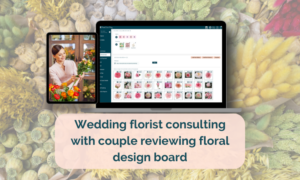
Florist proposal builder software is essential for creating beautiful, accurate, and fast proposals without spreadsheets or Canva templates. True Client Pro helps florists build polished proposals that book clients quickly. In this guide, you will learn how florist proposal builder software works, why it matters, and how to use it to save time and increase bookings.
Why Florist Proposal Builder Software Matters
Florists spend hours creating proposals for weddings and events. However, proposals often require images, descriptions, pricing, color palettes, and multiple pages of content. When done manually, proposals take too long and lead to inconsistent pricing. Florist proposal builder software solves these problems by centralizing design, pricing, and presentation in one place.
Additionally, modern clients expect a polished digital experience. A clear, visually appealing proposal increases your chances of booking the client and reduces price-shopping. Therefore, using a florist proposal builder software is an advantage in a competitive market.
What Makes a Great Florist Proposal Builder Software
Florist proposals must be visually beautiful, easy to read, and accurate. However, many florists struggle with creating consistent proposals because they lack the right tools. A great florist proposal builder should:
- Generate proposals in minutes
- Include image galleries and inspiration photos
- Calculate totals automatically
- Support color palette extraction
- Include optional add-ons for upselling
- Integrate with contracts and payment schedules
- Allow drag and drop of images and layout
- Offer customizable templates
True Client Pro includes all these features at no additional cost, making it one of the most complete florist proposal builder software options available today.
Proposal Templates Inside True Client Pro
Florists can choose from professionally designed templates created for real clients. Each template is fully customizable and allows you to add pages, images, and product details. The proposal builder includes:
- Three cover pages
- Fifteen proposal page types
- Drag and drop galleries
- Color palette extraction
- Item lists
- Optional add-ons
- Timeline and location pages
- Contract integration
Time Saved
Save 30 to 45 minutes per proposal by using templates and automatic calculations.
How to Build a Proposal Step-by-Step
Here is how to use the florist proposal builder software to create a complete proposal inside True Client Pro.
Step 1: Create Your Project
Each proposal starts inside a project folder. Add your client name, event date, and initial details. True Client Pro automatically saves all proposal pages inside the project for easy reference.
Step 2: Choose Your Template
Select from the premade templates or build your own custom layout. Templates include cover pages, image pages, pricing pages, and optional add-on sections.
Step 3: Add Photos and Inspiration
Drag and drop photos from your gallery. You can also pull images into the design board and tap once to insert them into the proposal.
Step 4: Add Color Palettes
The color extraction tool reads colors from your uploaded images. This helps clients visualize the design direction and builds clarity.
Step 5: Add Items
Add bouquets, centerpieces, installations, rentals, and decor items. Prices calculate automatically based on your recipe and product library.
Step 6: Add Optional Add-Ons
Upsell items by placing them on a separate optional page. Clients love the clarity and often choose more items because they feel informed.
Step 7: Add the Timeline
Enter the ceremony time, reception time, and delivery instructions. These help set expectations and reduce misunderstandings.
Step 8: Add Contract and Payment Schedule
Attach your contract and payment schedule so the client can review everything in one place. True Client Pro automates payment reminders once the client accepts.
Step 9: Send the Proposal
Send a single link to your client. They can view the proposal, sign the contract, and pay online. No more attachments or missing emails.
Why Visual Proposals Book More Clients
Visual proposals reduce the risk of misunderstandings and help the client connect emotionally with your designs. However, creating visual proposals manually takes too long.
Florist proposal builder software shortens the process and creates cleaner presentations. Therefore, using software increases booking rates and reduces price-shopping.
Common Florist Proposal Mistakes
Florists often make the following mistakes when building proposals manually:
- Using PDFs or Word documents that are hard to update
- Not including enough imagery
- Listing prices without descriptions
- Sending long email threads instead of one clean proposal link
- Forgetting important items or upsells
- Presenting prices without visual support
True Client Pro solves these issues by combining visuals, pricing, and communication into a single streamlined proposal builder.
Advanced Tricks for High-Converting Proposals
Tip 1: Add styled stock images
Include stock photos of color palettes and mood boards to enhance your proposal pages.
Tip 2: Add optional upgrades
Include premium versions of each design on the optional add-ons page. This encourages larger bookings.
Tip 3: Use uniform fonts
Consistent fonts make the proposal look more professional and cohesive.
Tip 4: Add design notes
Add clarifying notes about vase sizes, flower substitutions, and design expectations.
Success Stories
Florists using True Client Pro report signing clients faster because the proposal builder reduces confusion and makes it easier to say yes. The ability to sign contracts and pay deposits inside the same link creates a seamless experience.
FAQs About Florist Proposal Builder Software
Does the proposal builder integrate with payment systems?
Yes. Clients can sign and pay inside the same proposal link using Square or Stripe.
Can I customize the proposal layout?
Yes. You can adjust fonts, backgrounds, images, and layout preferences.
Can I include rentals in the proposal?
Yes. Add rentals, quantities, and images directly from your product library.
Can clients access the proposal from their phone?
Yes, proposals are fully mobile responsive.
Conclusion and Call to Action
Florist proposal builder software helps florists create stunning, accurate, and high-converting proposals instantly. True Client Pro includes everything you need to build branded proposals without extra setup costs or design tools. If you want to save time, book more clients, and present your designs professionally, try True Client Pro today and transform your proposal workflow.